
Virtual try-on Chrome extension: try any product page in place
 TryOnAnytime
A virtual try-on Chrome extension keeps your fitting photo in the browser and works across the shops you already browse. Honest install path, privacy, and limits.
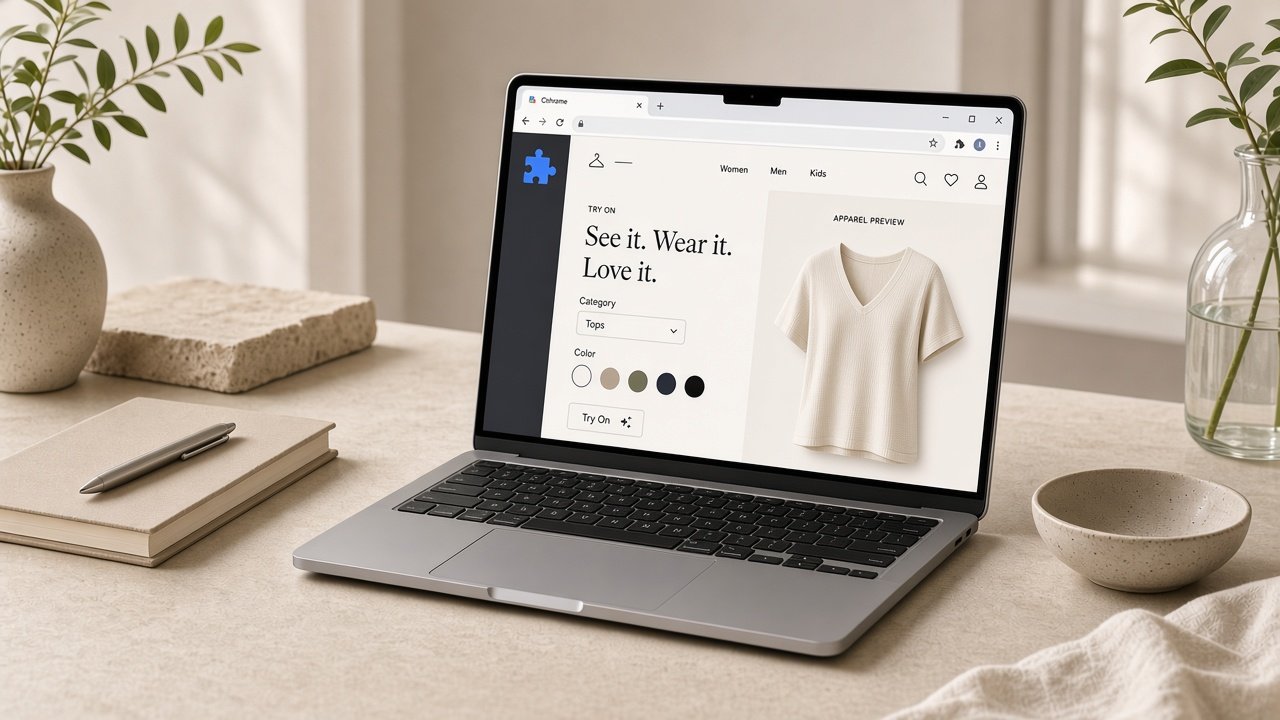
Most virtual try-on tools want you to leave the product page. You copy an image URL, open another tab, paste it in, get a render, then jump back and hope you did not lose the size chart. A virtual try-on Chrome extension removes the tab juggling: the preview happens on the page where you were already deciding, and the fitting photo you uploaded once stays available in the browser.
Not a new wardrobe app, not another account to maintain — a button that shows up while you shop.
What a try-on extension actually does
- Reads the product image on the page. The garment you are looking at is the garment you try, including on shops that have never heard of try-on.
- Keeps your fitting photo locally. Upload a photo once and the extension reuses it, rather than asking you to dig through your camera roll on every product page.
- Runs the try-on in a panel. No new tab, no lost scroll position, no losing the colour swatch you were comparing against.
- Works across sites. Indie shops, resale listings, marketplaces — the extension does not depend on the store installing anything.
- Leaves checkout alone. Payment stays on the merchant's site, in the tab you already trusted.
The result is one preview per garment, on the page, in seconds. Where try-on struggles lists the cases where that preview will be wrong — read it before you blame the extension.
Why an extension instead of another app
- No install friction on your phone. Nothing to download from an app store, nothing to keep updated.
- It meets you in the tab. Phone apps are tied to one brand, or to their own shopping surface. The extension works on the shops you already use.
- Your photo persists between sessions. Upload once, reuse across a dozen product pages in a week.
- Nothing to re-learn per store. Same panel, same controls, whichever shop you land on.
- It layers over the page you were reading. The store's own descriptions, size guide, and reviews stay visible, which is where the real decision happens.
The trade-off is honest: an extension lives inside a desktop browser. If you shop mostly from a phone, the web studio is the better fit, and virtual try-on app vs browser covers that split in detail.
Install from the Chrome Web Store
The extension is live on the Chrome Web Store as v1.2.0, so the install is the normal, one-click kind:
- Open the Chrome Web Store listing.
- Click Add to Chrome, then Add extension in the confirmation dialog.
- Open the extension popup and sign in with Google. Upload your fitting photo once.
Chrome keeps it updated from then on — no folder to move, nothing to re-download by hand. The walkthrough and FAQ live on the extension page.
If you are working on the extension source itself, or your network blocks the store, loading the extension/ folder unpacked still works: clone the repository, open chrome://extensions, turn on Developer mode, and choose Load unpacked. That path shows a developer-mode warning at startup and updates are manual — it is the developer fallback, not the supported install.
What it does not do
- It does not measure you. No extension can turn a product photo into a body scan. The preview shows how a garment reads on your frame — colour, proportion, hem placement — and nothing about your chest measurement or the brand's grade rules. Keep the size chart open in the next tab; that is what it is for.
- It does not fix a bad garment image. A 300-pixel thumbnail stays a 300-pixel thumbnail. Full-front flat lays work; cropped detail shots do not.
- It does not rescue hard fabric. Sheer, sequins, dense florals, and heavy texture degrade the same way they do everywhere else.
- It does not shop for you. No price comparison, no coupon hunting, no auto-add to cart. Try-on only.
Privacy: where the photo actually goes
This is the part worth reading carefully, because a try-on tool asks for something intimate: a picture of your body.
- The fitting photo stays in the browser. The extension stores it locally so it does not have to be re-uploaded on every page, which is the practical reason the flow feels fast.
- Only the job you trigger leaves the machine. When you ask for a render, the person image and the garment image are what get processed. Nothing else on the page is read for that purpose.
- There is no browsing history collection. The extension is not an analytics product wearing a try-on hat.
- You can clear it. Removing the extension removes its local storage.
The broader questions worth asking of any try-on product — retention, deletion, what happens to signed-in history — are laid out in virtual try-on privacy. Treat that as the checklist, not as reassurance.
Extension vs studio vs phone app
- Chrome extension. Best when you already browse shops in desktop tabs and want the preview without leaving the page. One-click install from the Chrome Web Store.
- Web studio (studio). Best when you want a clean workspace, side-by-side comparison of two garments, or you are on a machine where you cannot install anything. Paste a product image and go.
- Phone app. Best for a single-brand wardrobe, restock alerts, and shopping on the couch. Weakest at covering stores outside its own catalogue.
Most people end up using two of the three, not one. That is fine — the fitting photo and the honesty about limits carry across.
Who it is for, and who should skip it
- Use it if you open ten product pages before lunch, shop across indie labels and marketplaces, and would rather not re-upload a photo per page.
- Skip it if you shop mostly from a phone — the web studio is the same engine without the install.
- Skip it if you already know your size in that brand. The preview will not tell you anything new.
Bottom line
A virtual try-on Chrome extension is the least disruptive version of this technology: no new tab, no new shopping surface, no walled garden. The honest caveat is that a preview is a look check rather than a tape measure — the install itself is now just Add to Chrome.
If you browse in tabs, install the extension and try it on one garment you almost bought. If you would rather not install anything yet, open the studio — same result, one tab. Background reading on why any-store coverage matters: try clothes on any store, and a wider comparison in best virtual try-on apps.