
Virtual try-on API for online stores (and when embed is enough)
 TryOnAnytime
When a try-on HTTP API or MCP tools beat a one-line embed — inputs and outputs, credit billing, domain allowlists, and what not to promise shoppers. Look ≠ size.
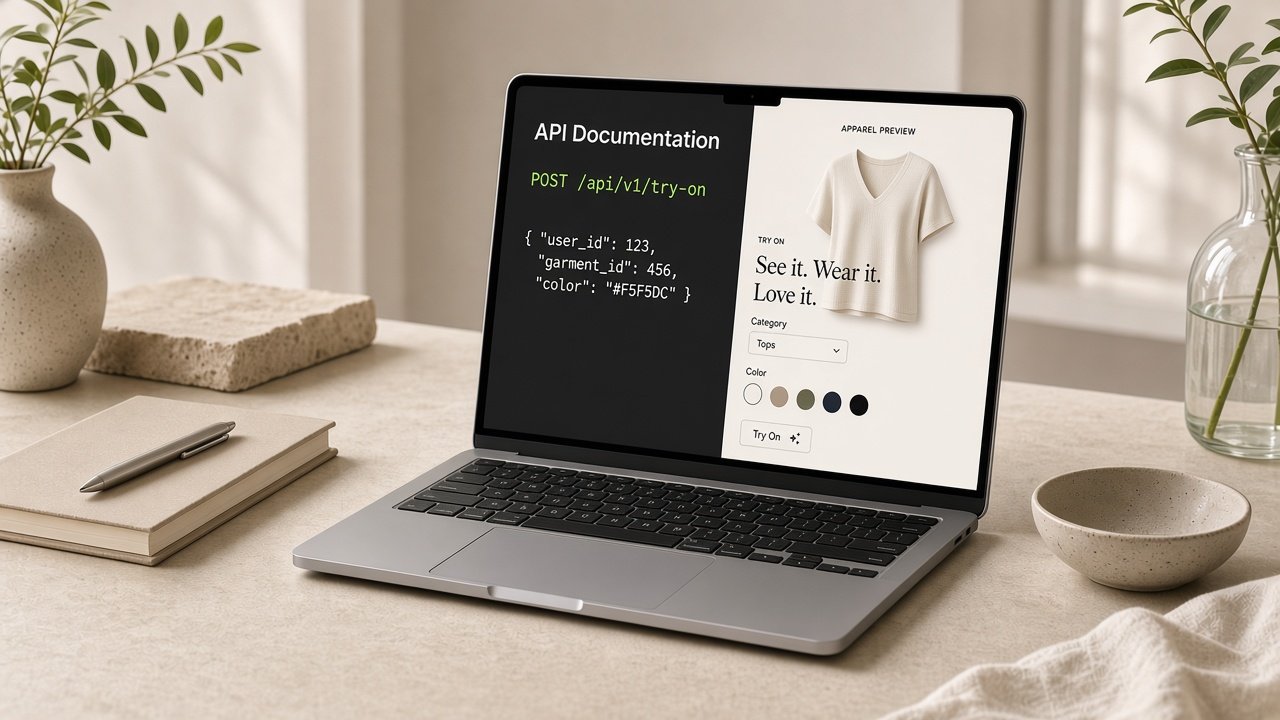
Disclosure: we build Try On Anytime, so read this as a spec written by the vendor rather than a neutral roundup. Every claim below is about behaviour we ship; nothing here is a benchmark we did not run.
Teams searching for a virtual try-on API usually want one of three different things, and only one of them is actually an API problem: a button on a product page, a batch pipeline that turns flat-lay catalog shots into on-model stills, or a tool hook that lets an agent call try-on mid-workflow. Sorting those three apart before you read any docs saves a sprint.
Decide the shape before the endpoint
- One storefront, one garment image per product. You want a button on the product page. This is an embed job: one script tag, a publishable key, a garment URL. Minutes, not days.
- Your own UI, a mobile app, or server-side jobs. You want to control layout, retries, caching, and what happens to the returned image. That is the HTTP API with credit billing — keys, examples, and error shapes live at /developers.
- Agent or IDE workflows. You want a tool call, not a REST client. The same credit ledger backs the MCP tools, so an agent spends against a budget someone already watches.
- Still exploring the shopper side. Run the consumer studio first. Nothing calibrates "good enough on a real photo" faster than five garments you already own.
What the API actually takes and returns
- A person image. One photo is the normal input: standing, tolerable light, torso and legs not cropped off. Live camera frames are a different endpoint with a different cost profile.
- A garment image, or a URL you already serve. Point at the same asset the product page renders. Re-uploading a second copy means two versions that drift apart after the next photoshoot.
- No measurements. There is no height, weight, or chest field. If the shopper needs a number, that comes from your size chart or a fit tool, not from this call.
- One still comes back. You store it under your own retention policy, behind your own access rules. We do not build a customer-facing gallery of your shoppers out of API traffic.
Because the contract is that small, the integration is mostly ordinary web work: authenticate, post two images, handle a non-zero result, render. The interesting decisions are all about the shopper-facing copy around the image.
What the API is not
- Not a size recommender. A preview shows colour on skin, print scale, sleeve length, hem placement. It does not know chest circumference or the brand's grade rules. Say that out loud in your UI — the split is spelled out in size recommendation vs virtual try-on.
- Not a fabric simulator. Sheer, sequins, heavy knits, and tiny logos are the known misses; where try-on struggles is the honest list, and it is worth reading before you write marketing copy on top of the feature.
- Not an accuracy percentage. Any single accuracy figure you see in a vendor deck is describing something narrower than the sentence implies — usually whether the garment landed in a plausible place, not whether the size was right.
Embed versus API, the honest trade
- Time to first try-on. Embed: an afternoon including styling. API: hours to a sprint, depending on auth and where you store results.
- UI control. Embed: our widget inside your page, themed to fit. API: entirely your layout, your states, your empty-state illustration.
- Domain control. Embed: a publishable key plus a domain allowlist you maintain. API: a secret key on your backend plus whatever rules you already enforce.
- Who debugs a bad render. Embed: we do, and you forward the report. API: you own the retry, the fallback, and the apology copy.
- Best fit. Embed: indie and DTC product pages with one image per SKU. API: custom apps, marketplaces, batch catalog work, automation.
The mistake that costs the most time is choosing the API because it sounds more serious. If a widget covers the job, ship the widget and spend the saved weeks on photography.
Implementation checklist
- Create keys in settings. Publishable keys are allowed in the browser; secret keys never are.
- Allowlist production domains for the publishable key, and keep staging off that list so a test deploy cannot burn credits in front of real shoppers.
- Point garment input at the same image the product page shows. A mismatched crop confuses people more than any model artefact.
- Gate the button on credit balance so the failure is a clear message, not a spinner that never resolves.
- Handle 402 as a first-class state: show remaining credits and one upgrade path. Do not silently retry — that doubles the bill and delays the answer.
- Log failures with an id, never with the shopper's photo attached to a public ticket.
- Decide retention before launch: how long the result lives, who can reopen it, whether it is deletable on request.
Shopper-facing copy you can reuse
- "This is a look check, not a measurement. Keep the size chart open."
- "Your photo is used to render this preview. It is not published anywhere."
- "Seconds, not instant — the preview takes a moment to render."
- "Sheer fabrics, sequins, and extreme poses are where this gets worse, not better."
Short, boring, and true beats a launch page that promises a fitting room.
Cross-store shoppers are a different channel
Someone who browses five unrelated shops a week will mostly never touch your API, because they never arrive with a key. Their path is the any-store flow or the browser extension, and that is a distribution question rather than an integration one. Build the API for the traffic you already have; use embed for the pages you control; do not expect either to reach shoppers who live on other domains.
Pricing stance
We bill in credits — see /pricing. There is no unlimited free API tier and this post will not pretend otherwise. Per-generation cost suits teams with spiky traffic and small teams that want to test before committing; it is a worse fit if you plan to render an entire catalog every night, so model that volume before you promise a number to your own finance team.
Next steps
- Builders who now know the shape: /developers.
- Merchandisers who only need a button: the embed walkthrough.
- Anyone who wants to feel the output first: paste a product image into the studio.
Explore more on the Try On Anytime homepage.